How to post a picture.





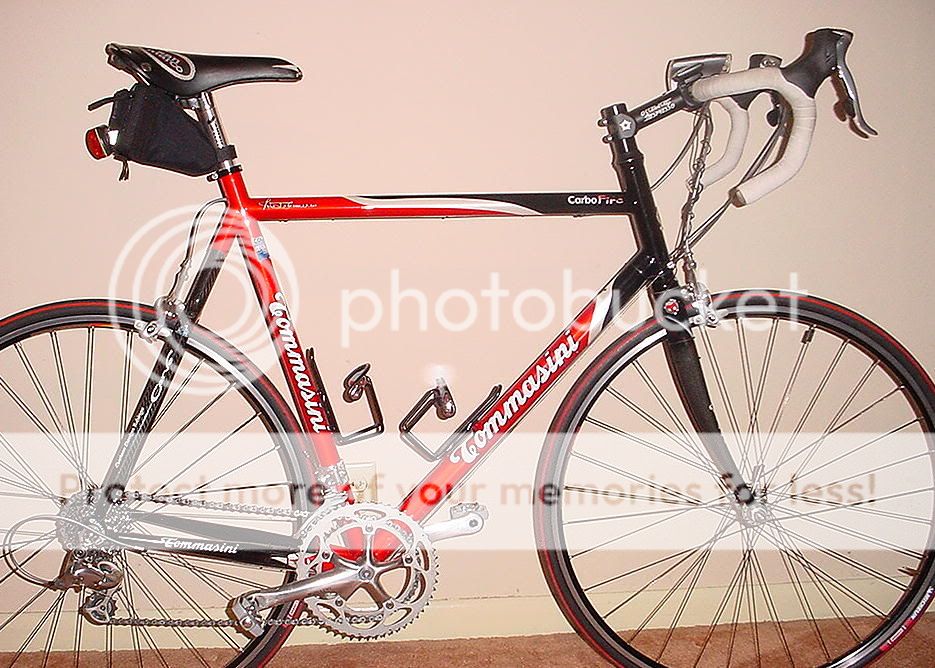


 05-30-05 | 09:43 AM
#35

Senior Member

Joined: Apr 2003
Posts: 290
Likes: 0
From: Denver, CO
Bikes: '89-Trek 2120 '04-Cannondale Hybrid '05-Specialized Roubaix Comp '89 Burley Tandem
testing - don't remember how to do this...[IMG]C:\Documents and Settings\Owner\My Documents\My Pictures\Richard's Bikes\Specilized Roubaix[/IMG]
05-30-05 | 02:52 PM
#36

By-Tor...or the Snow Dog?
Joined: Oct 2004
Posts: 6,479
Likes: 0
From: Ma
Bikes: Bianchi Cross Concept, Flyte Srs-3
Dude, you need a URL link, cant use the document link.
try photobucket.com
Its free, you have to sign up and give a user name, buts its free and works really well.
try photobucket.com
Its free, you have to sign up and give a user name, buts its free and works really well.
__________________
------------------------- ---------------------------------
-------------------------
---------------------------------
05-30-05 | 02:55 PM
#37

Life is good

Joined: Jan 2001
Posts: 18,208
Likes: 14
From: Not far from the Withlacoochee Trail. 🚴🏻
Bikes: 2018 Lynskey Helix Pro
If the picture is <100kb you can use "Manage Attachments" below the "Submit Reply" button.
__________________
The Lord is merciful and gracious, slow to anger and abounding in steadfast love. - Psalm 103:8
I am a cyclist. I am not the fastest or the fittest. But I will get to where I'm going with a smile on my face.
The Lord is merciful and gracious, slow to anger and abounding in steadfast love. - Psalm 103:8
I am a cyclist. I am not the fastest or the fittest. But I will get to where I'm going with a smile on my face.
05-30-05 | 04:10 PM
#38
cab horn
Joined: Jun 2004
Posts: 28,353
Likes: 31
From: Toronto
Bikes: 1987 Bianchi Campione
Originally Posted by Raedeke
testing - don't remember how to do this...[IMG]C:\Documents and Settings\Owner\My Documents\My Pictures\Richard's Bikes\Specilized Roubaix[/IMG]


 06-09-05 | 06:25 PM
#43

Senior Member
Joined: May 2005
Posts: 577
Likes: 115
From: S.F. Bay Area
Bikes: Motobecane Grand Record, Colnago Super, Mondia Super, Mondia Special, Mondia Prestige (for sale 55cm),Titan Star, Titan Exklusiv, Windsor
Ok, let's see if I can do Thumbnails?.........Success!
06-11-05 | 09:50 AM
#44
Junior Member
Joined: Apr 2005
Posts: 5
Likes: 0
In the site FAQ under "What Are Attachments?" it says "To attach a file to a new post, simply click the [Browse] button at the bottom of the post composition page, and locate the file that you want to attach from your local hard drive."
However, I can't see any [Browse] button when I look at the new post or edit post pages. What is going on?
Alternately, can anyone suggest a free website where I could drop my images so I can use the lame "Insert Image" function that simply inserts an IMG tag in my posting. [IMG]https://[/IMG]
John
However, I can't see any [Browse] button when I look at the new post or edit post pages. What is going on?
Alternately, can anyone suggest a free website where I could drop my images so I can use the lame "Insert Image" function that simply inserts an IMG tag in my posting. [IMG]https://[/IMG]
John
06-11-05 | 11:43 AM
#45

Senior Moment
Joined: Sep 2003
Posts: 952
Likes: 1
From: Lakeside California
Bikes: Litespeed Blueridge
A good free website where you can put some pictures is Photobucket.com
When I signed up though I had to do it somewhere between midnight and 3 a.m. I guess so many people want to sign up that this is about the only way you can get in. This was quite awhile ago though so go to their website and check it out.
Are you going to "Manage Attachments"? You can't post pictures from the "Post Quick Reply" or whatever that was, you have to go to the "Advanced" Post, then you will see the Browse button.
When I signed up though I had to do it somewhere between midnight and 3 a.m. I guess so many people want to sign up that this is about the only way you can get in. This was quite awhile ago though so go to their website and check it out.
Are you going to "Manage Attachments"? You can't post pictures from the "Post Quick Reply" or whatever that was, you have to go to the "Advanced" Post, then you will see the Browse button.