


Phone GPS vs Garmin GPS
 02-23-17 | 02:22 PM
#26
Senior Member


Joined: Sep 2007
Posts: 15,336
Likes: 1,789
From: Far beyond the pale horizon.
I can understand people seeing using just cuesheets as a challenge but I'd be surprised to find anybody who likes using them.
I've been on multiday rides where they pass out the cuesheets (whatever) the night before and I create gpx routes from them. Cuesheets also don't work very well if you miss a turn.
If one is doing an organized ride that is being repeated (like annually) that only provides cuesheets, you can often find recorded tracks from prior years (on ridewithgps for example). Even if the route isn't the same, it's often very similar and more than good enough to navigate by.
For Randonnees, cuesheets are the only "officially allowed" navigation tool but they usually give them out before the ride (which means one can create gpx files from them).
 02-23-17 | 02:36 PM
#27

meh

Joined: Jul 2014
Posts: 4,742
Likes: 1,129
From: Hopkins, MN
Bikes: 23 Cutthroat, 21 CoMotion Java; 21 Bianchi Infinito; 15 Surly Pugsley; 11 Globe Daily; 09 Kona Dew Drop; 96 Mondonico
Cue cards are not my preferred method; however, when I'm riding an unsupported gravel ride, I keep cue cards as a back up to my Garmin's 'bread-crumb' route.
Going to the Banjo Bros site for the link above reminded me of something for the OP, if you want to use an iPhone for your route, here's a good option to keep your iPhone accessible and visible - Phone Pack, Bar-Top Mounted | Banjo Brothers
02-23-17 | 03:27 PM
#28
Senior Member
Joined: Sep 2007
Posts: 15,336
Likes: 1,789
From: Far beyond the pale horizon.
It was clear you weren't recommending them.
Outside of organized/group rides, there are probably very few riders choosing to use cue sheets.
Many more people are forced to use cuesheets when they would prefer not to.
I load the route to an app on my phone as a backup.
Something like that is cheap enough to try even if he "graduates" to using a Garmin.
There are a few options for "route to a point" navigation. "maps.me" appears to be a good choice and it works on iOS and Android. Osmand is another option for Android (there's am iOS version but it's not complete). You really have to buy Osmand (the free version is too limited). And Osmand's interface is a bit weird.
Outside of organized/group rides, there are probably very few riders choosing to use cue sheets.
Many more people are forced to use cuesheets when they would prefer not to.
Going to the Banjo Bros site for the link above reminded me of something for the OP, if you want to use an iPhone for your route, here's a good option to keep your iPhone accessible and visible - Phone Pack, Bar-Top Mounted | Banjo Brothers
There are a few options for "route to a point" navigation. "maps.me" appears to be a good choice and it works on iOS and Android. Osmand is another option for Android (there's am iOS version but it's not complete). You really have to buy Osmand (the free version is too limited). And Osmand's interface is a bit weird.
Last edited by njkayaker; 02-23-17 at 03:33 PM.
02-23-17 | 03:30 PM
#29
meh
Joined: Jul 2014
Posts: 4,742
Likes: 1,129
From: Hopkins, MN
Bikes: 23 Cutthroat, 21 CoMotion Java; 21 Bianchi Infinito; 15 Surly Pugsley; 11 Globe Daily; 09 Kona Dew Drop; 96 Mondonico
02-23-17 | 03:41 PM
#30
Senior Member
Joined: Sep 2007
Posts: 15,336
Likes: 1,789
From: Far beyond the pale horizon.
I don't doubt that such weirdos exist but I don't think there are many of them.
I know randos who use cuesheets even when there are other options. I'd be surprised if there was anybody would rate cuesheets as a good navigation method.
Before I had a Garmin, I used them and would load the route to my phone as a backup (cuesheets really fall short if you go off them).
I know randos who use cuesheets even when there are other options. I'd be surprised if there was anybody would rate cuesheets as a good navigation method.
Before I had a Garmin, I used them and would load the route to my phone as a backup (cuesheets really fall short if you go off them).
02-23-17 | 03:50 PM
#31

aka Tom Reingold


Joined: Jan 2009
Posts: 44,340
Likes: 6,640
From: New York, NY, and High Falls, NY, USA
Bikes: 1962 Rudge Sports, 1971 Raleigh Super Course, 1971 Raleigh Pro Track, 1974 Raleigh International, 1975 Viscount Fixie, 1982 McLean, 1996 Lemond (Ti), 2002 Burley Zydeco tandem
My iphone 6S is much, much more accurate than my Garmin Edge 200 was. The Garmin was victim to lots of echos from NYC's tall buildings.
If you use a phone, get a really good mount. I went through a ton of cheap mounts. Now I'm using Quad Lock. I would have saved money if I had just gotten the good one first.
A GPS unit is nice because the battery is likely to last a whole day. If you use a phone for long rides, connect it to an external battery.
If you use a phone, get a really good mount. I went through a ton of cheap mounts. Now I'm using Quad Lock. I would have saved money if I had just gotten the good one first.
A GPS unit is nice because the battery is likely to last a whole day. If you use a phone for long rides, connect it to an external battery.
__________________
Tom Reingold, tom@noglider.com
New York City and High Falls, NY
Blogs: The Experienced Cyclist; noglider's ride blog
“When man invented the bicycle he reached the peak of his attainments.” — Elizabeth West, US author
Please email me rather than PM'ing me. Thanks.
Tom Reingold, tom@noglider.com
New York City and High Falls, NY
Blogs: The Experienced Cyclist; noglider's ride blog
“When man invented the bicycle he reached the peak of his attainments.” — Elizabeth West, US author
Please email me rather than PM'ing me. Thanks.
02-24-17 | 11:07 AM
#32
aka Tom Reingold
Joined: Jan 2009
Posts: 44,340
Likes: 6,640
From: New York, NY, and High Falls, NY, USA
Bikes: 1962 Rudge Sports, 1971 Raleigh Super Course, 1971 Raleigh Pro Track, 1974 Raleigh International, 1975 Viscount Fixie, 1982 McLean, 1996 Lemond (Ti), 2002 Burley Zydeco tandem
I've thought about this some more, and I can offer you my experience, which might help.
There are pluses and minuses to any approach, but I can say that using an iphone is among the good things to start with. The iphone display consumes a lot of battery power, so if you use it, you either have to keep the display off most of the time or use an external battery to keep it on for hours.
You really need a good mount, and I mean a very good mount, one that is stable and secure. Good mounts are usually not cheap, but the investment pays off. I learned the hard way that I don't save money or aggravation by using cheap mounts. Now I have a Quad Lock case and handlebar mount, and it's money well spent.
I use an external battery which I can toss in my handlebar bag, if I'm using one or in my tool bag which is always lashed to the bottom of my saddle. Running a lightning cable neatly to the phone is easy. Make sure it's not going to get snagged on nearby things such as your body parts, your clothes, or anything you lean the bike against. Really, this is not a problem.
I took a short trip in June from our house in the country to a conference in Poughkeepsie, NY. I made a route using Google Maps before I left and made a cue sheet to pin to my handlebars. That would have worked fine except when I got lost. Unfortunately, one of my pages blew away from me on the road, and I didn't have the whole route memorized, nor did I have a map. I like maps, but I just didn't have one, nor could I get one in time. Convenience stores don't carry them so much any more. So I asked the Google Maps app how to go. Whether you are on a computer or a smart phone, google maps gives really good routes, including for bikes. Rarely have I thought that it sent me on a lame-brained route. Sometimes finding turns onto bike trails is tricky, but it's not horrible. It takes a few minutes at most, but that's what happens when you travel.
I use the app exactly as I would use it in the car, and it's outstanding. I specify that I want a bike route rather than a motor driving route. It took me along the extensive bike trails in the area.
I can't hear the directions the app gives, whether I use the built in speakers or my bluetooth headphones. Sometimes it will dictate a turn and I want to replay it, but there's no way to do that. I have submitted this as a feature request. This is a feature my old Garmin car navigator had. I could press a button on the screen, and the device would repeat the last spoken instruction.
However, I can follow the turn by turn directions very well with a quick glance at a screen. Unfortunately, I didn't have my mount by then, and I tossed the phone in my handlebar bag where it would bounce around and move to where I couldn't see it. Lesson learned about good mounts!
All the while, I was using the RideWithGPS app which tracks my movement. I track all of my rides (when I remember to start the app) except my trips on the bike share in NYC. Using both google maps for directions and ridewithgps doesn't really consume more battery power, because both apps are using the data coming from the GPS receiver. The biggest consumer is the screen. I can ride for a couple of hours with the screen off and the ridewithgps app running. I did have an external battery on that trip, and it would have lasted longer than my trip which was only 24 miles. Some of the bigger external batteries can run an iphone for three days, and they're not expensive. I recommend getting two to four medium size external batteries and swap them in as needed.
The Quad Lock mount bolts to the handlebar very securely. The Quad Lock phone case grabs the mount very securely; you can't remove the phone accidentally. Yet when you want to, press the tab, twist the phone, and it comes off quickly and effortlessly. They also sell a "shower cap" for the phone which is expensive, though I may get it. I could use a ziploc sandwich bag, but if it flops around too much, I suppose that could get annoying, and even worse if the baggie flies off while I'm riding. I haven't ridden in the rain much with the phone on the handlebars. In theory, the iphone 6S is pretty rain resistant, but I don't want to be the one to test that.
There are pluses and minuses to any approach, but I can say that using an iphone is among the good things to start with. The iphone display consumes a lot of battery power, so if you use it, you either have to keep the display off most of the time or use an external battery to keep it on for hours.
You really need a good mount, and I mean a very good mount, one that is stable and secure. Good mounts are usually not cheap, but the investment pays off. I learned the hard way that I don't save money or aggravation by using cheap mounts. Now I have a Quad Lock case and handlebar mount, and it's money well spent.
I use an external battery which I can toss in my handlebar bag, if I'm using one or in my tool bag which is always lashed to the bottom of my saddle. Running a lightning cable neatly to the phone is easy. Make sure it's not going to get snagged on nearby things such as your body parts, your clothes, or anything you lean the bike against. Really, this is not a problem.
I took a short trip in June from our house in the country to a conference in Poughkeepsie, NY. I made a route using Google Maps before I left and made a cue sheet to pin to my handlebars. That would have worked fine except when I got lost. Unfortunately, one of my pages blew away from me on the road, and I didn't have the whole route memorized, nor did I have a map. I like maps, but I just didn't have one, nor could I get one in time. Convenience stores don't carry them so much any more. So I asked the Google Maps app how to go. Whether you are on a computer or a smart phone, google maps gives really good routes, including for bikes. Rarely have I thought that it sent me on a lame-brained route. Sometimes finding turns onto bike trails is tricky, but it's not horrible. It takes a few minutes at most, but that's what happens when you travel.
I use the app exactly as I would use it in the car, and it's outstanding. I specify that I want a bike route rather than a motor driving route. It took me along the extensive bike trails in the area.
I can't hear the directions the app gives, whether I use the built in speakers or my bluetooth headphones. Sometimes it will dictate a turn and I want to replay it, but there's no way to do that. I have submitted this as a feature request. This is a feature my old Garmin car navigator had. I could press a button on the screen, and the device would repeat the last spoken instruction.
However, I can follow the turn by turn directions very well with a quick glance at a screen. Unfortunately, I didn't have my mount by then, and I tossed the phone in my handlebar bag where it would bounce around and move to where I couldn't see it. Lesson learned about good mounts!
All the while, I was using the RideWithGPS app which tracks my movement. I track all of my rides (when I remember to start the app) except my trips on the bike share in NYC. Using both google maps for directions and ridewithgps doesn't really consume more battery power, because both apps are using the data coming from the GPS receiver. The biggest consumer is the screen. I can ride for a couple of hours with the screen off and the ridewithgps app running. I did have an external battery on that trip, and it would have lasted longer than my trip which was only 24 miles. Some of the bigger external batteries can run an iphone for three days, and they're not expensive. I recommend getting two to four medium size external batteries and swap them in as needed.
The Quad Lock mount bolts to the handlebar very securely. The Quad Lock phone case grabs the mount very securely; you can't remove the phone accidentally. Yet when you want to, press the tab, twist the phone, and it comes off quickly and effortlessly. They also sell a "shower cap" for the phone which is expensive, though I may get it. I could use a ziploc sandwich bag, but if it flops around too much, I suppose that could get annoying, and even worse if the baggie flies off while I'm riding. I haven't ridden in the rain much with the phone on the handlebars. In theory, the iphone 6S is pretty rain resistant, but I don't want to be the one to test that.
__________________
Tom Reingold, tom@noglider.com
New York City and High Falls, NY
Blogs: The Experienced Cyclist; noglider's ride blog
“When man invented the bicycle he reached the peak of his attainments.” — Elizabeth West, US author
Please email me rather than PM'ing me. Thanks.
Tom Reingold, tom@noglider.com
New York City and High Falls, NY
Blogs: The Experienced Cyclist; noglider's ride blog
“When man invented the bicycle he reached the peak of his attainments.” — Elizabeth West, US author
Please email me rather than PM'ing me. Thanks.
02-24-17 | 03:01 PM
#33

Senior Member
Joined: Jun 2011
Posts: 5,585
Likes: 122
From: Tampa, Florida
Bikes: 2017 Colnago C-RS, 2012 Colnago Ace, 2010 Giant Cypress hybrid
If you normally take your iPhone with you on all your rides, you really don't need a Garmin as it is really a duplication of services. There are plenty of phone apps out there that will do what you want without the extra cost of a Garmin.
RideWithGPS does an excellent job of giving you turn by turn instructions. You don't need cell service for TBT to work since the waypoints for your turns are inserted as part of the file when the route is created. You can create your own GPX route file if you have a printed map or que cards of the route by going on the RideWithGPS website after signing up. Once the route is created, you can download it into your RWGPS phone app and all the TBT info comes with it.
I have an iPhone SE and I did a cross state ride back in October using it as my cycling computer. Our second day ride started at 7:00 am and went until almost 5:00 pm. I kept the phone on the entire time, never charged it during the ride and ended up with over 60% battery life left. I have three Bluetooth sensors connected to my phone.
If you go into the phone's Settings and turn off Notifications to all the apps that you don't care to get notifications from and also turn off Location Services for all apps that you don't want tracking you, it will extend your battery life quite a bit because those apps are not using those services in the background, even if they are not running. When you get ready to ride, force killing all your running apps (double tap the Home button and swipe up all apps that are running, except the cycling app) and turning off WiFi will also extend your battery life.
iPhone SE
If you don't plan on using any sensors on this ride and already have another bike computer for speed and distance, the battery will last even longer. If you keep the phone's screen for the ride, you'll probably need to recharge it during the ride or get a Wahoo RFLKT to view the data from your phone app. The RFLKT has recently been discontinued but there are still plenty of them out there and it's compatible with RWGPS.
Most cycling apps are pretty simple to use and many of their features are almost self explanatory. Like a Garmin, each ride is tracked by starting the ride by tapping a Start (or similar) button and ended by tapping an End or Stop button at the end of the ride. The ride data is then saved and you reset the app/Garmin for the next ride. It's really quite simple. The ride is automatically uploaded to the RWGPS website so you can share it with others and/or uploaded to Strava, if you want to do that as well.
iPhones have excellent GPS receivers that are as accurate as most Garmin bike computers. Both the iPhone and the Garmin receive the same satellite signals and must parse the same GPS Sentences to extract the lat and long positions and data they need to display the ride stats. Where accuracy comes into play is the number of satellites that are locked in and the way the software/firmware parse the satellite signals and the way they handle floating point decimals. However, you won't see that much of a difference where it would matter for the type of tracking service you are looking for.
The iPhone uses cell service as a means to download map overlays on rides from one overlay area to another. For example, when you start a ride, a map will appear of the area you are starting in. The actual area may be larger than what is displayed on the screen. As you ride, you may go out of that area, so the phone app will use the cellular service to download the adjoining overlay. When downloading a preexisting route, loss of cell service isn't really necessary for TBT instructions since that works with incoming GPS data and the existing waypoints in the downloaded file. If the Garmin unit has on board mapping, like the 1000, overlays are uploaded to the Garmin by the Garmin Connect app on your phone. Garmins without on board mapping don't require this because all they export is a file with the GPS data and the route and maps are shown on the website or on the Garmin Connect app after it has downloaded the map overlays.
I hope this helps you out. Garmins are excellent devices but with the advancement in phone technology, phone battery life and the many features of cycling software, they really aren't what they once were, although Garmin die hards will certainly argue that point with me.
Originally Posted by Talkinghalls
I want it to give verbal push messages when I am coming up to a turn
Hours: 6-9 hours
If you go into the phone's Settings and turn off Notifications to all the apps that you don't care to get notifications from and also turn off Location Services for all apps that you don't want tracking you, it will extend your battery life quite a bit because those apps are not using those services in the background, even if they are not running. When you get ready to ride, force killing all your running apps (double tap the Home button and swipe up all apps that are running, except the cycling app) and turning off WiFi will also extend your battery life.
Iphone 6
No mounts no sensors
Not sure how to use Iphone for tracking
Might be in bad cell areas, are Garmin's more reliable?
The iPhone uses cell service as a means to download map overlays on rides from one overlay area to another. For example, when you start a ride, a map will appear of the area you are starting in. The actual area may be larger than what is displayed on the screen. As you ride, you may go out of that area, so the phone app will use the cellular service to download the adjoining overlay. When downloading a preexisting route, loss of cell service isn't really necessary for TBT instructions since that works with incoming GPS data and the existing waypoints in the downloaded file. If the Garmin unit has on board mapping, like the 1000, overlays are uploaded to the Garmin by the Garmin Connect app on your phone. Garmins without on board mapping don't require this because all they export is a file with the GPS data and the route and maps are shown on the website or on the Garmin Connect app after it has downloaded the map overlays.
I hope this helps you out. Garmins are excellent devices but with the advancement in phone technology, phone battery life and the many features of cycling software, they really aren't what they once were, although Garmin die hards will certainly argue that point with me.
__________________
HCFR Cycling Team
Ride Safe ... Ride Hard ... Ride Daily
2017 Colnago C-RS
2012 Colnago Ace
2010 Giant Cypress
HCFR Cycling Team
Ride Safe ... Ride Hard ... Ride Daily
2017 Colnago C-RS
2012 Colnago Ace
2010 Giant Cypress
Last edited by John_V; 02-24-17 at 03:06 PM.
02-24-17 | 03:19 PM
#34
aka Tom Reingold
Joined: Jan 2009
Posts: 44,340
Likes: 6,640
From: New York, NY, and High Falls, NY, USA
Bikes: 1962 Rudge Sports, 1971 Raleigh Super Course, 1971 Raleigh Pro Track, 1974 Raleigh International, 1975 Viscount Fixie, 1982 McLean, 1996 Lemond (Ti), 2002 Burley Zydeco tandem
Following up on [MENTION=67936]John V[/MENTION]'s excellent post, you can download areas into google maps before you move out of wifi or cellular coverage areas. As he points out, you don't necessarily need the map data, but if you want it, you can have it with a little extra planning.
__________________
Tom Reingold, tom@noglider.com
New York City and High Falls, NY
Blogs: The Experienced Cyclist; noglider's ride blog
“When man invented the bicycle he reached the peak of his attainments.” — Elizabeth West, US author
Please email me rather than PM'ing me. Thanks.
Tom Reingold, tom@noglider.com
New York City and High Falls, NY
Blogs: The Experienced Cyclist; noglider's ride blog
“When man invented the bicycle he reached the peak of his attainments.” — Elizabeth West, US author
Please email me rather than PM'ing me. Thanks.
02-24-17 | 04:52 PM
#35
Senior Member
Joined: Jul 2007
Posts: 8,631
Likes: 3,543
From: South shore, L.I., NY
Bikes: Trek Emonda SL7, Cannondale Topstone, Miyata City Liner, Specialized Chisel, Specialized Epic Evo
If you normally take your iPhone with you on all your rides, you really don't need a Garmin as it is really a duplication of services. There are plenty of phone apps out there that will do what you want without the extra cost of a Garmin.
RideWithGPS does an excellent job of giving you turn by turn instructions. You don't need cell service for TBT to work since the waypoints for your turns are inserted as part of the file when the route is created. You can create your own GPX route file if you have a printed map or que cards of the route by going on the RideWithGPS website after signing up. Once the route is created, you can download it into your RWGPS phone app and all the TBT info comes with it.
I have an iPhone SE and I did a cross state ride back in October using it as my cycling computer. Our second day ride started at 7:00 am and went until almost 5:00 pm. I kept the phone on the entire time, never charged it during the ride and ended up with over 60% battery life left. I have three Bluetooth sensors connected to my phone.
If you go into the phone's Settings and turn off Notifications to all the apps that you don't care to get notifications from and also turn off Location Services for all apps that you don't want tracking you, it will extend your battery life quite a bit because those apps are not using those services in the background, even if they are not running. When you get ready to ride, force killing all your running apps (double tap the Home button and swipe up all apps that are running, except the cycling app) and turning off WiFi will also extend your battery life.
iPhone SE
If you don't plan on using any sensors on this ride and already have another bike computer for speed and distance, the battery will last even longer. If you keep the phone's screen for the ride, you'll probably need to recharge it during the ride or get a Wahoo RFLKT to view the data from your phone app. The RFLKT has recently been discontinued but there are still plenty of them out there and it's compatible with RWGPS.
Most cycling apps are pretty simple to use and many of their features are almost self explanatory. Like a Garmin, each ride is tracked by starting the ride by tapping a Start (or similar) button and ended by tapping an End or Stop button at the end of the ride. The ride data is then saved and you reset the app/Garmin for the next ride. It's really quite simple. The ride is automatically uploaded to the RWGPS website so you can share it with others and/or uploaded to Strava, if you want to do that as well.
iPhones have excellent GPS receivers that are as accurate as most Garmin bike computers. Both the iPhone and the Garmin receive the same satellite signals and must parse the same GPS Sentences to extract the lat and long positions and data they need to display the ride stats. Where accuracy comes into play is the number of satellites that are locked in and the way the software/firmware parse the satellite signals and the way they handle floating point decimals. However, you won't see that much of a difference where it would matter for the type of tracking service you are looking for.
The iPhone uses cell service as a means to download map overlays on rides from one overlay area to another. For example, when you start a ride, a map will appear of the area you are starting in. The actual area may be larger than what is displayed on the screen. As you ride, you may go out of that area, so the phone app will use the cellular service to download the adjoining overlay. When downloading a preexisting route, loss of cell service isn't really necessary for TBT instructions since that works with incoming GPS data and the existing waypoints in the downloaded file. If the Garmin unit has on board mapping, like the 1000, overlays are uploaded to the Garmin by the Garmin Connect app on your phone. Garmins without on board mapping don't require this because all they export is a file with the GPS data and the route and maps are shown on the website or on the Garmin Connect app after it has downloaded the map overlays.
I hope this helps you out. Garmins are excellent devices but with the advancement in phone technology, phone battery life and the many features of cycling software, they really aren't what they once were, although Garmin die hards will certainly argue that point with me.
RideWithGPS does an excellent job of giving you turn by turn instructions. You don't need cell service for TBT to work since the waypoints for your turns are inserted as part of the file when the route is created. You can create your own GPX route file if you have a printed map or que cards of the route by going on the RideWithGPS website after signing up. Once the route is created, you can download it into your RWGPS phone app and all the TBT info comes with it.
I have an iPhone SE and I did a cross state ride back in October using it as my cycling computer. Our second day ride started at 7:00 am and went until almost 5:00 pm. I kept the phone on the entire time, never charged it during the ride and ended up with over 60% battery life left. I have three Bluetooth sensors connected to my phone.
If you go into the phone's Settings and turn off Notifications to all the apps that you don't care to get notifications from and also turn off Location Services for all apps that you don't want tracking you, it will extend your battery life quite a bit because those apps are not using those services in the background, even if they are not running. When you get ready to ride, force killing all your running apps (double tap the Home button and swipe up all apps that are running, except the cycling app) and turning off WiFi will also extend your battery life.
iPhone SE
If you don't plan on using any sensors on this ride and already have another bike computer for speed and distance, the battery will last even longer. If you keep the phone's screen for the ride, you'll probably need to recharge it during the ride or get a Wahoo RFLKT to view the data from your phone app. The RFLKT has recently been discontinued but there are still plenty of them out there and it's compatible with RWGPS.
Most cycling apps are pretty simple to use and many of their features are almost self explanatory. Like a Garmin, each ride is tracked by starting the ride by tapping a Start (or similar) button and ended by tapping an End or Stop button at the end of the ride. The ride data is then saved and you reset the app/Garmin for the next ride. It's really quite simple. The ride is automatically uploaded to the RWGPS website so you can share it with others and/or uploaded to Strava, if you want to do that as well.
iPhones have excellent GPS receivers that are as accurate as most Garmin bike computers. Both the iPhone and the Garmin receive the same satellite signals and must parse the same GPS Sentences to extract the lat and long positions and data they need to display the ride stats. Where accuracy comes into play is the number of satellites that are locked in and the way the software/firmware parse the satellite signals and the way they handle floating point decimals. However, you won't see that much of a difference where it would matter for the type of tracking service you are looking for.
The iPhone uses cell service as a means to download map overlays on rides from one overlay area to another. For example, when you start a ride, a map will appear of the area you are starting in. The actual area may be larger than what is displayed on the screen. As you ride, you may go out of that area, so the phone app will use the cellular service to download the adjoining overlay. When downloading a preexisting route, loss of cell service isn't really necessary for TBT instructions since that works with incoming GPS data and the existing waypoints in the downloaded file. If the Garmin unit has on board mapping, like the 1000, overlays are uploaded to the Garmin by the Garmin Connect app on your phone. Garmins without on board mapping don't require this because all they export is a file with the GPS data and the route and maps are shown on the website or on the Garmin Connect app after it has downloaded the map overlays.
I hope this helps you out. Garmins are excellent devices but with the advancement in phone technology, phone battery life and the many features of cycling software, they really aren't what they once were, although Garmin die hards will certainly argue that point with me.
I'm sold on my Garmin, but this is just excellent and should be a sticky, thx John
02-24-17 | 07:11 PM
#36
Senior Member
Joined: Sep 2007
Posts: 15,336
Likes: 1,789
From: Far beyond the pale horizon.
RideWithGPS does an excellent job of giving you turn by turn instructions. You don't need cell service for TBT to work since the waypoints for your turns are inserted as part of the file when the route is created. You can create your own GPX route file if you have a printed map or que cards of the route by going on the RideWithGPS website after signing up. Once the route is created, you can download it into your RWGPS phone app and all the TBT info comes with it.
02-24-17 | 07:37 PM
#37
Senior Member
Joined: Sep 2007
Posts: 15,336
Likes: 1,789
From: Far beyond the pale horizon.
Following up on [MENTION=67936]John V[/MENTION]'s excellent post, you can download areas into google maps before you move out of wifi or cellular coverage areas. As he points out, you don't necessarily need the map data, but if you want it, you can have it with a little extra planning.
I'd still suggest also having another app that has downloaded maps.
02-25-17 | 03:05 PM
#38
Senior Member
Joined: Jun 2011
Posts: 5,585
Likes: 122
From: Tampa, Florida
Bikes: 2017 Colnago C-RS, 2012 Colnago Ace, 2010 Giant Cypress hybrid
You're welcome. Absolutely nothing wrong with Garmins. I'm afraid that once my RFLK dies on me, I'm going to have to get one since my ride speeds are dependent on my heart rate, so I have to see that without turning the screen on and off throughout the ride.
02-25-17 | 03:15 PM
#39
Senior Member
Joined: Jun 2011
Posts: 5,585
Likes: 122
From: Tampa, Florida
Bikes: 2017 Colnago C-RS, 2012 Colnago Ace, 2010 Giant Cypress hybrid
It is a very good app but I actually use Cyclemeter rather than RWGPS app. I used it as an example because the only thing Cyclemeter lacks, at this point, is turn by turn notifications which the OP was wanting. Cyclemeter Elite is $9.95 a year for first time subscribers and $4.95 a year if you previously purchased the Pro edition.
02-26-17 | 09:41 AM
#40
Senior Member

Joined: Feb 2017
Posts: 1,932
Likes: 2,360
From: Hollister, CA (not the surf town)
Bikes: 2019 Specialized Roubaix Comp Di2, 2009 Roubaix, early 90's Giant Iguana
Google maps on iPhone will allow you to download map data for an area if you think you may not have cell coverage or wish to save data. I do that when traveling abroad since my plan requires buying data outside the U.S. The GPS will work with data turned off as long as the map data has been downloaded. It is less accurate though.
02-26-17 | 09:19 PM
#41
Senior Member

Joined: Dec 2001
Posts: 7,141
Likes: 12
From: New Jersey
Following up on [MENTION=67936]John V[/MENTION]'s excellent post, you can download areas into google maps before you move out of wifi or cellular coverage areas. As he points out, you don't necessarily need the map data, but if you want it, you can have it with a little extra planning.
I've been using Garmin GPS units since the old monochrome Garmin Legend that now sells for $50.00 used on Ebay. It wasn't designed for bicycling but more for hiking into the mountains. However, I was able to cross the entire state of NJ with no problems and it didn't even have maps loaded! LOL. I would simply load my route into the GPS before the ride and only use the "Arrow" screen on Garmin. It was simple.
Here's why I like prefer to use Garmin's hiking GPS instead of their cycling or even an Iphone.
1. AA Batteries - I ran out of batteries a number of times and practically every grocery store had them to get me back up and running. No need to carry an extra expensive battery pack ever. My old hiking Garmin would go through a set of AA batteries in about 10 hours but today they last much longer! They practically sip batteries because hikers lives depend on a working GPS. I will never get one that uses a built in battery because it's not if but when you do run out of battery. Sure you can carry an extra battery pack but it takes time to recharge a built in battery on the road. Quite frankly, having to worry about battery life is one of the reason people still stick with cue sheets. You'll constantly read about all the things people are doing to preserve battery life for their phones like using solar panels. However, all I have to do is buy a 12 pack of AA batteries and I"m good to go for two weeks or more!
2. Dropping your GPS - I can't remember how many times I've seen people walk around with cracked or broken Iphone or Android screens. It's amazing how fragile they are yet very few have Guerrilla glass built in. I have dropped my Garmin Legend GPS numerous times at full speed! If you put it on your handlebar, it's only a matter of time especially with the cheaper mounts before something happens. After having recovered my Legend off the ground without a scratch on the screen I've become a full believer. I have total respect for Garmin.
3. Built in Maps is the way to go -- I finally caved in an purchased the MicroSD card with built in street maps and won't go back to downloading them. It's great to be able to walk out the door knowing you have all the maps stored and ready. I'll use Google maps just in case but as a backup only. It's nice to have a backup and Google maps is a great resource for other things I can't get on Garmin.
Well, that's my 2 cents. I'm going to upgrade this year to the Etrex Touch 25. I like the new and much faster user interface and it doesn't have a built in battery. I'll carry a dozen Eneloops and I'm good for a long time.
02-27-17 | 02:40 PM
#42
Senior Member
Joined: Sep 2007
Posts: 15,336
Likes: 1,789
From: Far beyond the pale horizon.
Battery packs are cheap and will be much cheaper over time than buying AA batteries. And you can use them for charging other devices.
A small (and cheap) battery pack is all that most people will ever need.
(It's fine that you prefer AA batteries but you are exaggerating the problems with rechargeable batteries.)
There are a fair number of smartphone apps (cheap/free) that let you easily download maps.
A decent one is "maps.me", which is free and lets you load routes (as kml or gpx) to it and does routing.
People shouldn't rely on maps that are not downloaded to the device.
A small (and cheap) battery pack is all that most people will ever need.
(It's fine that you prefer AA batteries but you are exaggerating the problems with rechargeable batteries.)
3. Built in Maps is the way to go -- I finally caved in an purchased the MicroSD card with built in street maps and won't go back to downloading them. It's great to be able to walk out the door knowing you have all the maps stored and ready. I'll use Google maps just in case but as a backup only. It's nice to have a backup and Google maps is a great resource for other things I can't get on Garmin.
A decent one is "maps.me", which is free and lets you load routes (as kml or gpx) to it and does routing.
People shouldn't rely on maps that are not downloaded to the device.
Last edited by njkayaker; 02-27-17 at 02:43 PM.
02-27-17 | 02:49 PM
#43
Senior Member
Joined: Sep 2007
Posts: 15,336
Likes: 1,789
From: Far beyond the pale horizon.
"maps.me" is a good option. It easy to download maps and you can load routes/courses to it. It will also do on device routing (no network/cell access required).
Smartphones use "assisted GPS" which uses wifi and cell tower signals to get an initial rough location. This is very fast but it's less accurate than GPS. Wifi is very short range (but it works inside).
GPS location is much more accurate than other methods but it's slow to initially "lock in". Once it's "locked in", it's very fast (and very accurate).
04-20-17 | 09:06 AM
#45
Newbie
Joined: Apr 2017
Posts: 2
Likes: 0
I'm currently in the same boat... trying to decide between using my phone (iphone 7 with lifeproof case) or a bike computer. I think my phone would provide everything I need (gps, navigation, fitness tracking). Maybe I'll try that route first. There seem to be a few popular phone mounts out there (quad lock, nite ize, rockform). Would like one that works with my lifeproof case. Lifeproof makes one with an adapter that you stick on your case, but not sure I want that on my case all the time. Just saw a new one on kickstarter called the switchback that looks like it might be promising... I guess I have more research to do...
04-20-17 | 10:04 AM
#46
aka Tom Reingold
Joined: Jan 2009
Posts: 44,340
Likes: 6,640
From: New York, NY, and High Falls, NY, USA
Bikes: 1962 Rudge Sports, 1971 Raleigh Super Course, 1971 Raleigh Pro Track, 1974 Raleigh International, 1975 Viscount Fixie, 1982 McLean, 1996 Lemond (Ti), 2002 Burley Zydeco tandem
[MENTION=459279]roadbk[/MENTION], just be sure to get an excellent mount. I spent more on cheap mounts than on my good one.
If you use your phone, get an external battery. Even the smallest one would probably suffice. There are some that are the size of a butane cigarette lighter.
If you use your phone, get an external battery. Even the smallest one would probably suffice. There are some that are the size of a butane cigarette lighter.
__________________
Tom Reingold, tom@noglider.com
New York City and High Falls, NY
Blogs: The Experienced Cyclist; noglider's ride blog
“When man invented the bicycle he reached the peak of his attainments.” — Elizabeth West, US author
Please email me rather than PM'ing me. Thanks.
Tom Reingold, tom@noglider.com
New York City and High Falls, NY
Blogs: The Experienced Cyclist; noglider's ride blog
“When man invented the bicycle he reached the peak of his attainments.” — Elizabeth West, US author
Please email me rather than PM'ing me. Thanks.
04-20-17 | 10:21 AM
#47
Senior Member
Joined: Nov 2015
Posts: 540
Likes: 3
From: Houston
Bikes: Novarra Randonee 2016, Trek Verve 2 2015
[MENTION=459279]roadbk[/MENTION], just be sure to get an excellent mount. I spent more on cheap mounts than on my good one.
If you use your phone, get an external battery. Even the smallest one would probably suffice. There are some that are the size of a butane cigarette lighter.
If you use your phone, get an external battery. Even the smallest one would probably suffice. There are some that are the size of a butane cigarette lighter.
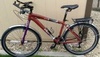
I am considering taking one with us on a 10-day tour this summer (it has a USB outlet and a laptop charger), using a Smartphone and RWGPS.
 04-20-17 | 08:30 PM
#49

Squeaky Wheel
Joined: Nov 2008
Posts: 1,681
Likes: 116
From: Newcastle, WA
I use a Garmin 520. When I want to follow a route I create the route on Strava and download it. The 520 does not give spoken directions but it does warn you of upcoming turns with an audio tone and a visual indication on the screen. I find route following to be easy to use.
The others things I really appreciate about my Garmin:
- It's much smaller than my phone, takes up little space on the bars and came with a couple of mounting options that are very secure.
- It's more rugged than my phone. I also Mountain Bike with my Garmin and have had some pretty spectacular wrecks. I hate to think what would have happened to my phone if it would have been mounted on the bars...
- The Garmin is waterproof. I ride in the rain a lot.
- The Garmin screen is visible in direct sunlight without the backlight on - saves batteries.
- The Garmin uses both the US GPS satellite constellation and Russia's Glonass system...I find it gives good results under heavy tree cover (which we have plenty of here).
- The Garmin has a barometric altimeter and will generally give more accurate altitude data
One other point - for Mountain Biking, I found that the Garmin was consistently under reporting mileage, likely due to the tight twisty trails that I often ride and the way that the GPS samples position. I purchased one of Garmin's ANT-based wheel sensors that wraps around the hub of my Mountain Bike and it works very well. When the Garmin senses a wheel sensor it uses that to calculate distance rather than GPS.
The others things I really appreciate about my Garmin:
- It's much smaller than my phone, takes up little space on the bars and came with a couple of mounting options that are very secure.
- It's more rugged than my phone. I also Mountain Bike with my Garmin and have had some pretty spectacular wrecks. I hate to think what would have happened to my phone if it would have been mounted on the bars...
- The Garmin is waterproof. I ride in the rain a lot.
- The Garmin screen is visible in direct sunlight without the backlight on - saves batteries.
- The Garmin uses both the US GPS satellite constellation and Russia's Glonass system...I find it gives good results under heavy tree cover (which we have plenty of here).
- The Garmin has a barometric altimeter and will generally give more accurate altitude data
One other point - for Mountain Biking, I found that the Garmin was consistently under reporting mileage, likely due to the tight twisty trails that I often ride and the way that the GPS samples position. I purchased one of Garmin's ANT-based wheel sensors that wraps around the hub of my Mountain Bike and it works very well. When the Garmin senses a wheel sensor it uses that to calculate distance rather than GPS.
Last edited by woodway; 04-20-17 at 08:35 PM.
04-21-17 | 09:40 AM
#50

Senior Member
Joined: Mar 2010
Posts: 23,208
Likes: 10,653
From: Seattle, WA
It's waterproof and rugged and has a good battery, all of which are pluses on a trip like this. Are you going to use any sensors with it? Most people think Garmins only really come into their own when you use sensors to augment what it records, because without them your phone could capture the same data. I have no idea if this is important to you, it's a common thought though, and you asked for thoughts.