
madpogue
Senior Member
close


08-24-25
- Join DateJan 2004
- LocationMadison, WI USA
- Posts:6,169
-
iTrader Positive Feedback0
-
iTrader Feedback Score(0)
-
Likes:1,427
-
Liked:1,797 Times in 1,204 Posts
I just picked up premium membership, and I thought that meant I could create my own photo albums and upload photos to them. But when uploading even one photo, I get "Warning: You have reached your upload limit". What's going on?

rumrunn6
Senior Member
close


05-01-26
- Join DateJul 2008
- Location25 miles northwest of Boston
- Posts:30,446
-
iTrader Positive Feedback0
-
iTrader Feedback Score(0)
-
Likes:11,979
-
Liked:4,538 Times in 2,780 Posts
I get that too when I try to create a new album & I have a free membership. maybe it's just a bug with "albums"? I just upload pics into threads & they show up in my singular album
madpogue
Senior Member
close
08-24-25
- Join DateJan 2004
- LocationMadison, WI USA
- Posts:6,169
-
iTrader Positive Feedback0
-
iTrader Feedback Score(0)
-
Likes:1,427
-
Liked:1,797 Times in 1,204 Posts
Yeah, AFAIK uploading to posts works fine. I wanted to create a stand-alone album; I thought that's what premium membership buys.
Oh, and the odd thing - it acts as if it's uploading the first photo, presenting a "progress" bar, and takes 10-15 seconds. It's only at the end of that process that I get the message.
Oh, and the odd thing - it acts as if it's uploading the first photo, presenting a "progress" bar, and takes 10-15 seconds. It's only at the end of that process that I get the message.
madpogue
Senior Member
close
08-24-25
- Join DateJan 2004
- LocationMadison, WI USA
- Posts:6,169
-
iTrader Positive Feedback0
-
iTrader Feedback Score(0)
-
Likes:1,427
-
Liked:1,797 Times in 1,204 Posts
testing

madpogue
Senior Member
close
08-24-25
- Join DateJan 2004
- LocationMadison, WI USA
- Posts:6,169
-
iTrader Positive Feedback0
-
iTrader Feedback Score(0)
-
Likes:1,427
-
Liked:1,797 Times in 1,204 Posts
Confirmed - attaching to posts works fine. But creating and populating new albums is a fail.
Do any admins/mods read these threads? [MENTION=494068]IBRyan[/MENTION] ?
Do any admins/mods read these threads? [MENTION=494068]IBRyan[/MENTION] ?
Retired -- Do not PM
Quote:
Do any admins/mods read these threads? [MENTION=494068]IBRyan[/MENTION] ?
Yes, I do. I am currently looking into what the issue can be. Can you please explain one more time what exactly is happening?Originally Posted by madpogue
Confirmed - attaching to posts works fine. But creating and populating new albums is a fail.Do any admins/mods read these threads? [MENTION=494068]IBRyan[/MENTION] ?

CliffordK
Senior Member
close


05-03-26
- Join DateNov 2014
- LocationEugene, Oregon, USA
- Posts:27,576
-
iTrader Positive Feedback0
-
iTrader Feedback Score(0)
-
Likes:3,756
-
Liked:5,451 Times in 4,010 Posts
I just created a new album, and uploaded. No issues.
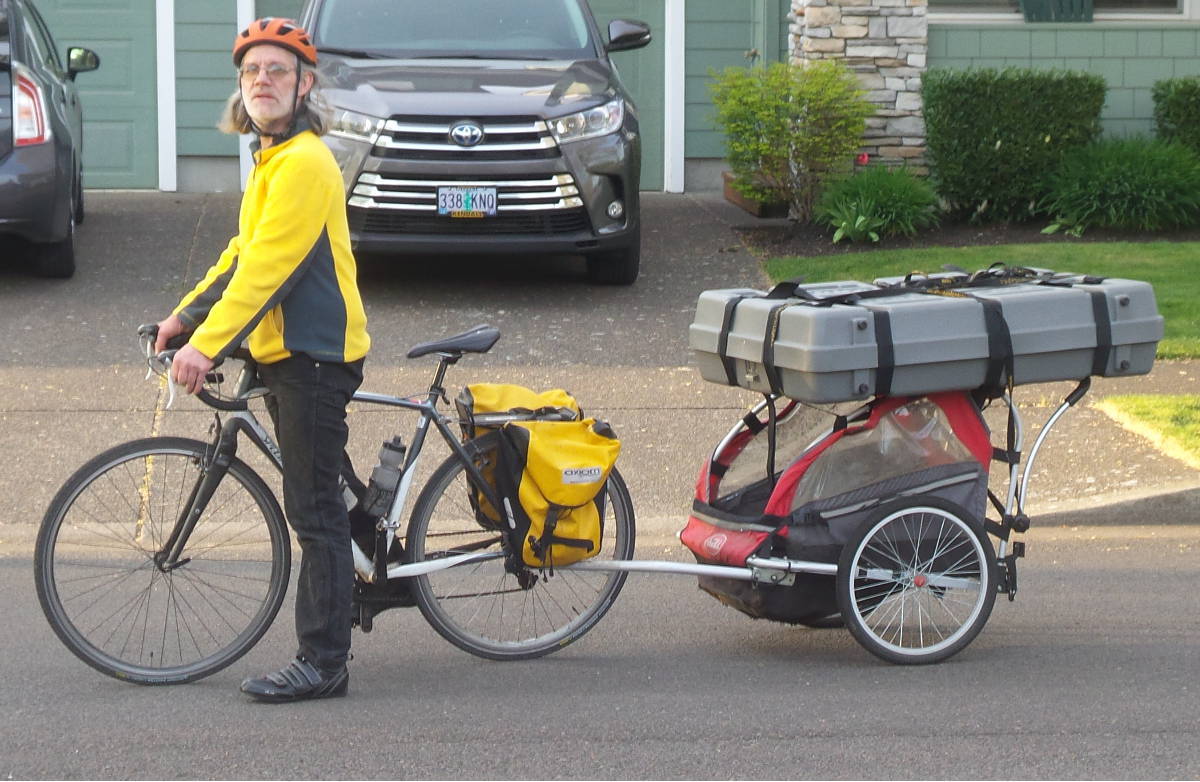
 I've been doing uploads manually to the album for a while. I tried using the picture upload icon, and got a message "Please Enter URL", rather than taking me to the album.
PleaseEnterURL.jpg
Hmmm...
The old upload method with attachments still works, using the paper clip
I do try to target somewhere between around 50 kb and 200 kb for my image sizes. I could imagine the system having headaches with super HUGE images.
I've been doing uploads manually to the album for a while. I tried using the picture upload icon, and got a message "Please Enter URL", rather than taking me to the album. PleaseEnterURL.jpg
Hmmm...
The old upload method with attachments still works, using the paper clip
I do try to target somewhere between around 50 kb and 200 kb for my image sizes. I could imagine the system having headaches with super HUGE images.
madpogue
Senior Member
close
08-24-25
- Join DateJan 2004
- LocationMadison, WI USA
- Posts:6,169
-
iTrader Positive Feedback0
-
iTrader Feedback Score(0)
-
Likes:1,427
-
Liked:1,797 Times in 1,204 Posts
Quote:
This:Originally Posted by IBRyan
Yes, I do. I am currently looking into what the issue can be. Can you please explain one more time what exactly is happening?

Background is of course very dim, but you can JUUST see that I tried creating a new album called "Test", then uploading a file from my local machine, aprx. 30K. The progress bar indicates it's uploading, then at the end, the above pops up.
Retired -- Do not PM
[MENTION=9425]madpogue[/MENTION] okay and what version of the site, browser and device are you on? I will raise this issue to tech.
madpogue
Senior Member
close
08-24-25
- Join DateJan 2004
- LocationMadison, WI USA
- Posts:6,169
-
iTrader Positive Feedback0
-
iTrader Feedback Score(0)
-
Likes:1,427
-
Liked:1,797 Times in 1,204 Posts
"Device" is any of three computers I've tried. Two are Windows 10 and one is Windows 7. They're all running Firefox, different versions from ESR 52.9 to 60-something.
Site version is.... errr.... same as everybody else is using, I guess. I don't see anything on the home page that indicates a version. I'm using the "BikeforumsNG" style. I tried the Default Style, same result.
Site version is.... errr.... same as everybody else is using, I guess. I don't see anything on the home page that indicates a version. I'm using the "BikeforumsNG" style. I tried the Default Style, same result.
madpogue
Senior Member
close
08-24-25
- Join DateJan 2004
- LocationMadison, WI USA
- Posts:6,169
-
iTrader Positive Feedback0
-
iTrader Feedback Score(0)
-
Likes:1,427
-
Liked:1,797 Times in 1,204 Posts
Update - tried Opera 42, same result.
CliffordK
Senior Member
close
05-03-26
- Join DateNov 2014
- LocationEugene, Oregon, USA
- Posts:27,576
-
iTrader Positive Feedback0
-
iTrader Feedback Score(0)
-
Likes:3,756
-
Liked:5,451 Times in 4,010 Posts
Whew, you have a lot of photos. 200+?
https://www.bikeforums.net/g/user/9425
Is is an issue with: https://cimg0.ibsrv.net?
https://www.bikeforums.net/g/user/9425
Is is an issue with: https://cimg0.ibsrv.net?
madpogue
Senior Member
close
08-24-25
- Join DateJan 2004
- LocationMadison, WI USA
- Posts:6,169
-
iTrader Positive Feedback0
-
iTrader Feedback Score(0)
-
Likes:1,427
-
Liked:1,797 Times in 1,204 Posts
^^^^ They're all post photos. A lot of them are duplicates. I often post pics from earlier posts to new posts, when they're relevant. When I do, I always post an "img" link to the original photo, but evidently the forum software sees fit to store a new copy in my "Post pictures" album as a duplicate.
If there were a "where used" feature, that told you what post(s) a particular pic is associated with, it would help.
Edit - there are some that have more duplicates than can be accounted for by reference posting / re-posting. I just found one with four copies, all uploaded within 2-3 minutes of each other. I most definitely did not post that many messages with the same photo that many times that quickly.
I wonder if at some point, the forum software would re-upload an inline pic every time you preview a post, or edit an existing one. I preview at least 99% of my posts, esp. those with inline images, and sometimes multiple times before hitting the final post button. If the software is clogging up my "Post pictures" album with dupes any time I do that, it would definitely explain the number. Again - if I knew that was it, and knew which pics were actually associated with real posts and which were "orphans", I could probably clean up a fair amount. Of course, the software shouldn't require such exercises, but I digress......
Edit 2 -- I'm pretty sure the forum was saving duplicates of pics in some cases, when I would either preview or edit a post with pics. I slogged through them and found several with up to four copies of the same pic, but only one associated with a post. I figured it out based on matching the uuid file name of the pic in the album with the pic in the post. It was a mind-numbing slog, but I deleted well over 50 such pics, that had been "stranded" by that process but still counting as pics in my gallery. So I'm down to about 150, but I'm still getting the "Upload Limit" message.
If there were a "where used" feature, that told you what post(s) a particular pic is associated with, it would help.
Edit - there are some that have more duplicates than can be accounted for by reference posting / re-posting. I just found one with four copies, all uploaded within 2-3 minutes of each other. I most definitely did not post that many messages with the same photo that many times that quickly.
I wonder if at some point, the forum software would re-upload an inline pic every time you preview a post, or edit an existing one. I preview at least 99% of my posts, esp. those with inline images, and sometimes multiple times before hitting the final post button. If the software is clogging up my "Post pictures" album with dupes any time I do that, it would definitely explain the number. Again - if I knew that was it, and knew which pics were actually associated with real posts and which were "orphans", I could probably clean up a fair amount. Of course, the software shouldn't require such exercises, but I digress......
Edit 2 -- I'm pretty sure the forum was saving duplicates of pics in some cases, when I would either preview or edit a post with pics. I slogged through them and found several with up to four copies of the same pic, but only one associated with a post. I figured it out based on matching the uuid file name of the pic in the album with the pic in the post. It was a mind-numbing slog, but I deleted well over 50 such pics, that had been "stranded" by that process but still counting as pics in my gallery. So I'm down to about 150, but I'm still getting the "Upload Limit" message.
madpogue
Senior Member
close
08-24-25
- Join DateJan 2004
- LocationMadison, WI USA
- Posts:6,169
-
iTrader Positive Feedback0
-
iTrader Feedback Score(0)
-
Likes:1,427
-
Liked:1,797 Times in 1,204 Posts
[MENTION=494068]IBRyan[/MENTION], any update?
Retired -- Do not PM
Still looking in [MENTION=9425]madpogue[/MENTION] sorry it is taking some time. Thank you for your patience.
madpogue
Senior Member
close
08-24-25
- Join DateJan 2004
- LocationMadison, WI USA
- Posts:6,169
-
iTrader Positive Feedback0
-
iTrader Feedback Score(0)
-
Likes:1,427
-
Liked:1,797 Times in 1,204 Posts
Monthly check on updates to this issue.
I can still insert as many pics as I want into posts, but the gallery/album function still doesn't allow my to create new albums, or upload directly to albums.
I can still insert as many pics as I want into posts, but the gallery/album function still doesn't allow my to create new albums, or upload directly to albums.
IBJoel
Administrator
close
05-01-26
- Join DateSep 2015
- Posts:444
-
iTrader Positive Feedback0
-
iTrader Feedback Score(0)
-
Likes:493
-
Liked:229 Times in 148 Posts
Quote:
I can still insert as many pics as I want into posts, but the gallery/album function still doesn't allow my to create new albums, or upload directly to albums.
I'm working with tech on this, currently.Originally Posted by madpogue
Monthly check on updates to this issue.I can still insert as many pics as I want into posts, but the gallery/album function still doesn't allow my to create new albums, or upload directly to albums.
CliffordK
Senior Member
close
05-03-26
- Join DateNov 2014
- LocationEugene, Oregon, USA
- Posts:27,576
-
iTrader Positive Feedback0
-
iTrader Feedback Score(0)
-
Likes:3,756
-
Liked:5,451 Times in 4,010 Posts
Hmmm...
I just ran into that myself.
Same popup as above... "you have reached your upload limit".
I haven't been buying or selling on the forum. I don't believe I have any duplicates. At least not with the albums.
I resize my photos. A bit more lax now, so some around 200 KB.
The old "attachments" may have some duplicates, but not too many.
I just ran into that myself.
Same popup as above... "you have reached your upload limit".
I haven't been buying or selling on the forum. I don't believe I have any duplicates. At least not with the albums.
I resize my photos. A bit more lax now, so some around 200 KB.
The old "attachments" may have some duplicates, but not too many.

RETIRED, DO NOT PM
Hi CliffordK,
I tried recreating your issue by uploading an album but I am not getting the message you are getting.
What link, device are you using?
Could you show a step by step of your process?
I tried recreating your issue by uploading an album but I am not getting the message you are getting.
What link, device are you using?
Could you show a step by step of your process?

What happened?
Rollfast
What happened?
close
04-19-20
- Join DateJun 2007
- LocationAround here somewhere
- Posts:7,918
-
iTrader Positive Feedback0
-
iTrader Feedback Score(0)
-
Likes:457
-
Liked:298 Times in 260 Posts
Reduce the size of your images to something below 1200x?
Cellphones take obscenely large pictures by default and that adds up to huge filesizes.
I'm guessing that what vB doesn't like is huge filesizes and you can cut that resolution down quite a bit (a serious bit).
Cellphones take obscenely large pictures by default and that adds up to huge filesizes.
I'm guessing that what vB doesn't like is huge filesizes and you can cut that resolution down quite a bit (a serious bit).
What happened?
Rollfast
What happened?
close
04-19-20
- Join DateJun 2007
- LocationAround here somewhere
- Posts:7,918
-
iTrader Positive Feedback0
-
iTrader Feedback Score(0)
-
Likes:457
-
Liked:298 Times in 260 Posts
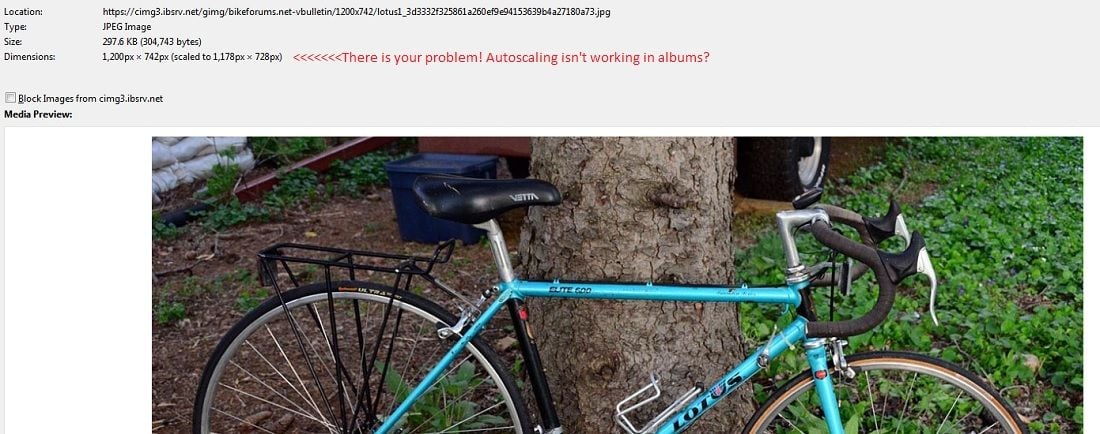
Also try to post JPEGs or filetypes with lower filesizes. Anything larger than that is overkill for this platform,.
madpogue
Senior Member
close
08-24-25
- Join DateJan 2004
- LocationMadison, WI USA
- Posts:6,169
-
iTrader Positive Feedback0
-
iTrader Feedback Score(0)
-
Likes:1,427
-
Liked:1,797 Times in 1,204 Posts
How much "below 1200"? I shoot mostly 3/2 aspect ratio, so 1200x800 is what I usually resize to when posting online.
Edit - just resized a photo to 1080x668 and tried to upload. Same message. Just tried resizing to 600x371 and uploading. Same message.
Cellphone? My cell phone has buttons, and makes and receives phone calls. Crazy, eh? I haul things with a truck, commute and get exercise with a bicycle, take photographs with a camera, type on a computer, and talk on a telephone. Each thing excels at what it does, and is useless at any of the other things.
Edit - just resized a photo to 1080x668 and tried to upload. Same message. Just tried resizing to 600x371 and uploading. Same message.
Cellphone? My cell phone has buttons, and makes and receives phone calls. Crazy, eh? I haul things with a truck, commute and get exercise with a bicycle, take photographs with a camera, type on a computer, and talk on a telephone. Each thing excels at what it does, and is useless at any of the other things.
CliffordK
Senior Member
close
05-03-26
- Join DateNov 2014
- LocationEugene, Oregon, USA
- Posts:27,576
-
iTrader Positive Feedback0
-
iTrader Feedback Score(0)
-
Likes:3,756
-
Liked:5,451 Times in 4,010 Posts
My cell phone shoots at 16 megapixels with 10x optical zoom.
I routinely crop and shrink before uploading. The target is 100 to 200 KB or so. The old restriction of 100 KB was a bit rough.
Open my "Gallery" page:
https://www.bikeforums.net/g/user/392454
Select a subfolder. Most of my photos have been going into "Misc".
https://www.bikeforums.net/g/album/13031659
Click on "Edit Album"
Drag & Drop, and I get the error. Also using the "Upload" button.
I tried creating a new folder, and it seemed to take it, then nothing.
So, I selected one photo to delete.
And it allowed me to create the new album and upload one photo.
Ok, so let me try a second photo under Misc2.
NOPE.
"You have reached your upload limit".
Delete my "new photo", and...
drag and drop works.

I routinely crop and shrink before uploading. The target is 100 to 200 KB or so. The old restriction of 100 KB was a bit rough.
Quote:
I tried recreating your issue by uploading an album but I am not getting the message you are getting.
What link, device are you using?
Could you show a step by step of your process?
Steps:Originally Posted by IBanna
Hi CliffordK,I tried recreating your issue by uploading an album but I am not getting the message you are getting.
What link, device are you using?
Could you show a step by step of your process?
Open my "Gallery" page:
https://www.bikeforums.net/g/user/392454
Select a subfolder. Most of my photos have been going into "Misc".
https://www.bikeforums.net/g/album/13031659
Click on "Edit Album"
Drag & Drop, and I get the error. Also using the "Upload" button.
I tried creating a new folder, and it seemed to take it, then nothing.
So, I selected one photo to delete.
And it allowed me to create the new album and upload one photo.
Ok, so let me try a second photo under Misc2.
NOPE.
"You have reached your upload limit".
Delete my "new photo", and...
drag and drop works.
CliffordK
Senior Member
close
05-03-26
- Join DateNov 2014
- LocationEugene, Oregon, USA
- Posts:27,576
-
iTrader Positive Feedback0
-
iTrader Feedback Score(0)
-
Likes:3,756
-
Liked:5,451 Times in 4,010 Posts
Ok, with the new album I just created, I have:
https://www.bikeforums.net/g/user/392454
11 albums (10 albums earlier when I first got the error):
1 photo: Misc2
2 photos: Four Wheels
1 photo: Box
5 photos: Albany Bike Show
5 photos: SteyrMassifCargoBike
22 photos: Misc
3 photos: Statistics
11 photos: Snowpocalypse
3 photos: Beckman
7 photos: SR Semi-Pro Aero
40 photos: My Post Pictures
Total: Exactly 100 photos, I think.
Probably not an accident that I have exactly 100 photos.
Now, let me look at [MENTION=9425]madpogue[/MENTION]'s albums:
https://www.bikeforums.net/g/user/9425
He has 2 current albums:
1 photo: Lotus
149 photos: My Post Pictures

So, [MENTION=9425]madpogue[/MENTION] has exactly 150 photos.
Man, I feel left out. He apparently locked his uploads with 50% more photos than I have.
[MENTION=134410]rumrunn6[/MENTION] has one album
https://www.bikeforums.net/g/user/134410
1900 photos: 4/28/18 thru ...
WOW 
[MENTION=88857]Rollfast[/MENTION] also has one album.
https://www.bikeforums.net/g/user/88857
201 photos: My Post Pictures
https://www.bikeforums.net/g/user/392454
11 albums (10 albums earlier when I first got the error):
1 photo: Misc2
2 photos: Four Wheels
1 photo: Box
5 photos: Albany Bike Show
5 photos: SteyrMassifCargoBike
22 photos: Misc
3 photos: Statistics
11 photos: Snowpocalypse
3 photos: Beckman
7 photos: SR Semi-Pro Aero
40 photos: My Post Pictures
Total: Exactly 100 photos, I think.
Probably not an accident that I have exactly 100 photos.
Now, let me look at [MENTION=9425]madpogue[/MENTION]'s albums:
https://www.bikeforums.net/g/user/9425
He has 2 current albums:
1 photo: Lotus
149 photos: My Post Pictures
So, [MENTION=9425]madpogue[/MENTION] has exactly 150 photos.
Man, I feel left out. He apparently locked his uploads with 50% more photos than I have.
[MENTION=134410]rumrunn6[/MENTION] has one album
https://www.bikeforums.net/g/user/134410
1900 photos: 4/28/18 thru ...
WOW
[MENTION=88857]Rollfast[/MENTION] also has one album.
https://www.bikeforums.net/g/user/88857
201 photos: My Post Pictures