


Garmin Varia Radar light - radar-only option?
 09-17-17 | 04:44 AM
#1

Thread Starter
Senior Member
Joined: Sep 2017
Posts: 865
Likes: 25
From: United Kingdom
Bikes: 5
Garmin Varia Radar light - radar-only option?
I've just bought the Garmin Varia Radar Rear Light and it's paired to my Edge 1000 and works great on the couple of test rides that I've done so far. I find it a very useful safety gadget on my bike.
However, I was wondering whether there is a radar-only option on it? During the day I don't need the light flashing or on, but would still like the radar capability so I can be warned of cars approaching behind me.
However, I was wondering whether there is a radar-only option on it? During the day I don't need the light flashing or on, but would still like the radar capability so I can be warned of cars approaching behind me.
 09-17-17 | 06:58 AM
#2

Senior Member
Joined: Jan 2014
Posts: 1,345
Likes: 221
From: Washington State
Once it's paired to to Edge, Go into the 'Light Network' settings on the Edge and then to 'Individual' and turn the light to OFF.
Goinf off memory here but if I remember correctly, that should do the trick.
Goinf off memory here but if I remember correctly, that should do the trick.
09-17-17 | 10:20 AM
#3
Thread Starter
Senior Member
Joined: Sep 2017
Posts: 865
Likes: 25
From: United Kingdom
Bikes: 5
Unfortunately Garmin may have removed that option if it used to be there. I'll contact Garmin Support to see if there's a way to do this, but thanks for the possible solution anyway.
09-17-17 | 10:22 AM
#4
Senior Member
Joined: Jan 2014
Posts: 1,345
Likes: 221
From: Washington State
After that, access it via setting on the Edge..
Maybe they changed it but that would be odd..
09-17-17 | 11:00 AM
#6
Senior Member
Joined: Jan 2014
Posts: 1,345
Likes: 221
From: Washington State
The Edge 25 might not support it as it has limited setting menu. I had my radar paired to an Edge 520, an Edge 820 and an Edge 1000. On all of them, once it was also paired as a light network, you could turn the light off, set it to flash, or set it to steady from the Edges Light Network settings.
Maybe Garmin axed it? I thought it was odd that the Radar had to be paired then it also had to be paired as a light network. The radar will still work fine if it was not paired as a light network but doing so gave additional options.
Thinking........
1. Set configuration to individual.
2. Go to "Light Network" and select the radar unit
3. Then select Light mode:
--Overdrive = On all the time
--Flash = Flashing
--Off = Lights off / Radar on
Maybe Garmin axed it? I thought it was odd that the Radar had to be paired then it also had to be paired as a light network. The radar will still work fine if it was not paired as a light network but doing so gave additional options.
Thinking........
1. Set configuration to individual.
2. Go to "Light Network" and select the radar unit
3. Then select Light mode:
--Overdrive = On all the time
--Flash = Flashing
--Off = Lights off / Radar on
Last edited by raqball; 09-17-17 at 11:10 AM.
09-17-17 | 11:22 AM
#7
Thread Starter
Senior Member
Joined: Sep 2017
Posts: 865
Likes: 25
From: United Kingdom
Bikes: 5
I'm using an Edge 1000 and also cannot see that option. I removed the device and paired it again, this time using 'Search All' and it showed as a Radar unit. However, there's not much configuration for it in the Edge 1000. In the Alert Settings page on the Edge 1000, I only get:
1. Colour Overlay: On/Off
2. Tones: On/Off
3. Vehicle Column: Right/Left
I feel it's just a bit of a waste having the light on in bright sunshine during the day! Nevertheless, this is a fantastic gadget and makes me feel a bit safer whilst cycling on the road.
1. Colour Overlay: On/Off
2. Tones: On/Off
3. Vehicle Column: Right/Left
I feel it's just a bit of a waste having the light on in bright sunshine during the day! Nevertheless, this is a fantastic gadget and makes me feel a bit safer whilst cycling on the road.
09-17-17 | 11:24 AM
#8
Senior Member
Joined: Jan 2014
Posts: 1,345
Likes: 221
From: Washington State
I'm using an Edge 1000 and also cannot see that option. I removed the device and paired it again, this time using 'Search All' and it showed as a Radar unit. However, there's not much configuration for it in the Edge 1000. In the Alert Settings page on the Edge 1000, I only get:
1. Colour Overlay: On/Off
2. Tones: On/Off
3. Vehicle Column: Right/Left
I feel it's just a bit of a waste having the light on in bright sunshine during the day! Nevertheless, this is a fantastic gadget and makes me feel a bit safer whilst cycling on the road.
1. Colour Overlay: On/Off
2. Tones: On/Off
3. Vehicle Column: Right/Left
I feel it's just a bit of a waste having the light on in bright sunshine during the day! Nevertheless, this is a fantastic gadget and makes me feel a bit safer whilst cycling on the road.
Edit to add: Check DCR review here: https://www.dcrainmaker.com/2015/10/...n-edge-display
If you scroll down a bit you'll see his photos that show the light network. Once there you'd have the option to select OFF. Do you by chance have Light Network turned off in Garmin Settings?
Last edited by raqball; 09-17-17 at 11:35 AM.
09-17-17 | 12:56 PM
#9
Thread Starter
Senior Member
Joined: Sep 2017
Posts: 865
Likes: 25
From: United Kingdom
Bikes: 5
I think my issue is that I don't see the menu Sensors --> Lights under Settings. When I go into Sensors I see only a list of all of my paired sensors. Both the Edge 1000 and the Radar light are on the latest software.
09-17-17 | 01:20 PM
#10

Me duelen las nalgas

Joined: Aug 2015
Posts: 13,519
Likes: 2,832
From: Texas
Bikes: Centurion Ironman, Trek 5900, Univega Via Carisma, Globe Carmel
Interesting device. It would be more useful paired with the capability to trigger a camera for short video clips or stills of approaching and passing vehicles.
09-17-17 | 01:29 PM
#11

Senior Member
Joined: Nov 2015
Posts: 1,667
Likes: 29
From: Cambridge UK
Bikes: Trek Emonda SL6 .... Miyata One Thousand
I have one linked to my edge 1000
brilliant and my best buy for 2017 by far ... it's like having an extra set of eyes on the back of your head .... it never misses a beat
mine works on flash mode .... but even with that, I get 6hrs of battery life
you can charge these on the go with a lipstick sized power bank (if you have the newer model)
brilliant and my best buy for 2017 by far ... it's like having an extra set of eyes on the back of your head .... it never misses a beat
mine works on flash mode .... but even with that, I get 6hrs of battery life
you can charge these on the go with a lipstick sized power bank (if you have the newer model)
09-17-17 | 02:05 PM
#12
Thread Starter
Senior Member
Joined: Sep 2017
Posts: 865
Likes: 25
From: United Kingdom
Bikes: 5
^ I have to agree with those sentiments. I've purchased a lot of cycling accessories and gadgets this year but the Garmin Varia Radar light is amongst the very best.
As for my issue, I'll ping Garmin Support as I'm sure it's just a firmware issue and it's not a showstopper at all. The radar works exactly as it should. Also, as the light gets brighter and more animated as a car approaches from the rear, I am convinced that it has an effect on the driver to drive a little more carefully. I noticed this today on two separate test rides of about 30 minutes each. Drivers were not passing too closely as they usually do.
As for my issue, I'll ping Garmin Support as I'm sure it's just a firmware issue and it's not a showstopper at all. The radar works exactly as it should. Also, as the light gets brighter and more animated as a car approaches from the rear, I am convinced that it has an effect on the driver to drive a little more carefully. I noticed this today on two separate test rides of about 30 minutes each. Drivers were not passing too closely as they usually do.
09-18-17 | 02:04 AM
#13
Thread Starter
Senior Member
Joined: Sep 2017
Posts: 865
Likes: 25
From: United Kingdom
Bikes: 5
So after another hour or so of Googling and playing around with the Edge 1000, I may have got the solution that raqball was describing earlier in this thread.
My RTL 500 radar light was paired as a Radar sensor to my Edge 1000. I saw several websites that referred to a 'Lights' sensor pairing but I did not have this.
With the RTL 500 switched on I decided to try to pair it again even though it was already paired as a Radar device. This time around it found it as a Light sensor. So, what I have now is the RTL 500 'paired twice' - once as a Radar device and next as a Light device.
Here's a summary of the process to achieve the aim of this thread which was to turn off the lights but have the radar element working. Make sure your RTL 500 is paired a second time and discovered as a Lights sensor before carrying out this procedure:
1. Go to Settings, and select Sensors, then select Lights;
2. Select Network Options
3. Select Light Mode and set it to Individual and then go back one screen;
4. Below Network Options, you should see a narrow line showing Light Network Indiv. Below that you should see Radar with the RTL 500 ID number below it. Select this;
5. Select Light Mode and you will see three options: Overdrive, Day Flash and Off. Select the Off option.
My RTL 500 radar light was paired as a Radar sensor to my Edge 1000. I saw several websites that referred to a 'Lights' sensor pairing but I did not have this.
With the RTL 500 switched on I decided to try to pair it again even though it was already paired as a Radar device. This time around it found it as a Light sensor. So, what I have now is the RTL 500 'paired twice' - once as a Radar device and next as a Light device.
Here's a summary of the process to achieve the aim of this thread which was to turn off the lights but have the radar element working. Make sure your RTL 500 is paired a second time and discovered as a Lights sensor before carrying out this procedure:
1. Go to Settings, and select Sensors, then select Lights;
2. Select Network Options
3. Select Light Mode and set it to Individual and then go back one screen;
4. Below Network Options, you should see a narrow line showing Light Network Indiv. Below that you should see Radar with the RTL 500 ID number below it. Select this;
5. Select Light Mode and you will see three options: Overdrive, Day Flash and Off. Select the Off option.
09-18-17 | 03:39 AM
#14
Senior Member
Joined: Nov 2015
Posts: 1,667
Likes: 29
From: Cambridge UK
Bikes: Trek Emonda SL6 .... Miyata One Thousand
https://cycliq.com/products/fly6/
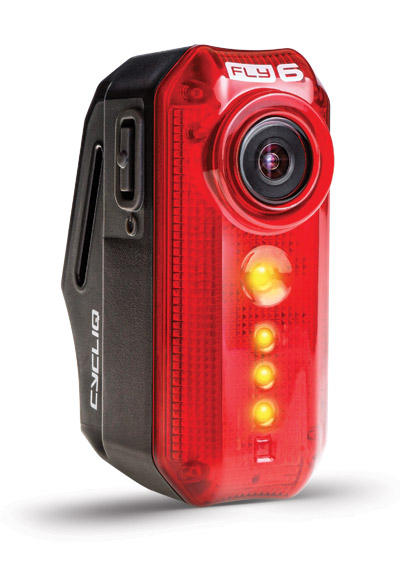
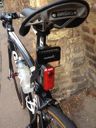
Last edited by dim; 09-18-17 at 04:13 AM.
09-18-17 | 03:51 AM
#15
Thread Starter
Senior Member
Joined: Sep 2017
Posts: 865
Likes: 25
From: United Kingdom
Bikes: 5
^ I looked at that camera/light a while back. Is there an option to mount it somewhere else, other than the seat post? I have a saddle bag and rear rack, so seat post mounting would be awkward. The seat stays are the only place I've got left on my cruiser to mount something else on!

